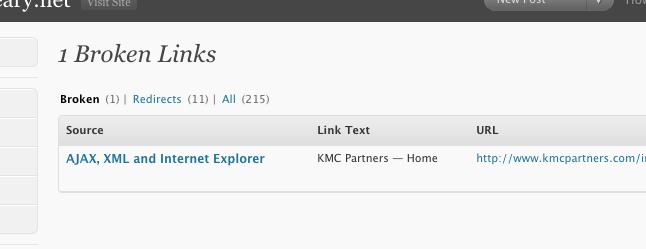
Broken links aren’t fun. They can destroy a user experience, especially if they link to an important download or file. Luckily, there’s an easy way for you to keep track of your dead links in WordPress. It’s a plugin called the Broken Link Checker.
Broken Link Checker keeps a running list of all the broken links found in your posts, pages, blogroll, comments, and custom fields. It also allows you to easily manage those links from one screen within the WordPress admin (Tools > Broken Links).
The plugin has many more features:
- Monitor links in your posts, pages, the blogroll, and custom fields
- Detects links that don’t work and missing images
- Dashboard updates for broken links
- Redirected link detection
- Changes appearance of broken links in posts; the default is to set the text decoration to strike through
- New or editted posts are checked immediately
- Managed through the WordPress Admin under the Tools -> Broken Links
- Links can be removed or changed through the plugin’s page, without manually editing each post
This solution has helped me clean up 15 broken links on kevinleary.net, improving usability, user experience and search engine optimization. I recommend anyone with a large WordPress driven website consider using this plugin to keep track of broken or dead links.