After attending an Event Apart Boston I’ve started to really see the potential of CSS 3.0 that can be used today. A few things that stood out throughout the 2-day conference have been outlined below.
Rounded Corners using border-radius

I used this method to create the rounded tab navigation on Next Step Living. It’s well supported by browsers, and can be used in Firefox 3.5, Safari and Chrome. If you need functionality in IE check out the Curved Corner project.
div.rounded {
    -webkit-border-radius: 3px;
    -moz-border-radius: 3px;
    border-radius: 3px;
}
Inner shadow using box-shadow

This one works great with images, or just plain text. It’s well supported by the usualy suspects, but isn’t currently supported in IE. If you need IE support take a look at adding this CSS method to replicate the effects: filter: progid:DXImageTransform.Microsoft.Shadow(color=’#969696′, Direction=135, Strength=3);.
div.inner-shadow {
    -moz-box-shadow: inset 0 0 10px #000; /* for Firefox 3.5+ */
    -webkit-box-shadow: inset 0 0 10px #000; /* for Safari and Chrome */
    box-shadow: inset 0 0 10px #000; /* CSS 3 Spec */
}
Drop shadow using box-shadow
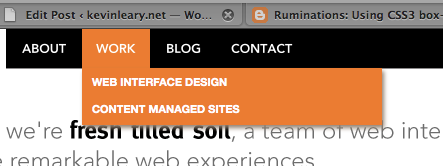
This is essentially the same method used for the inner shadow above, just a different approach to place the shadow on the outside of the element.
div.drop-shadow {
    -moz-box-shadow: 2px 2px 3px #999; /* for Firefox 3.5+ */
    -webkit-box-shadow: 2px 2px 3px #999; /* for Safari and Chrome */
    box-shadow: 2px 2px 3px #999;  /* CSS 3 Spec */
}
Awesome form buttons and submits

This is pulled directly from Dan Cederholm’s demo site used during his 2010 Event Apart Boston presentation, Things we left on the moon. It degrades gracefully accross all browsers, so it may not look the same in IE; but provides the behavioral actions needed for users to complete a task.
input[type="submit"] {
    padding: 8px 15px;
    font-family: Helvetica;
    font-weight: bold;
    line-height: 1;
    color: #444;
    border: none;
    text-shadow: 0 1px 1px rgba(255,255,255,.85);
    background-image: -webkit-gradient(linear, 0% 0%, 0% 100%, from(#fff), to(#bbb));
    background-image: -moz-linear-gradient(0% 100% 90deg,#bbb, #fff);
    -webkit-border-radius: 23px;
    -moz-border-radius: 23px;
    border-radius: 23px;
    -webkit-box-shadow: 0 1px 2px rgba(0,0,0,.5);
    -moz-box-shadow: 0 1px 2px rgba(0,0,0,.5);
    box-shadow: 0 1px 2px rgba(0,0,0,.5);
}
input[type="submit"]:hover {
    color: #333;
    -webkit-animation-name: pulse;
    -webkit-animation-duration: 1.5s;
    -webkit-animation-iteration-count: infinite;
    -webkit-animation-timing-function: ease-in-out;
    -webkit-box-shadow: none;
    -moz-box-shadow: none;
    box-shadow: none;
}
Create a circle!
This creative technique is thanks to the Web Designer Wall article, Beautiful CSS3 Search Form
.circle {
    width: 100px;
    height: 100px;
    -moz-border-radius: 100px;
    -webkit-border-radius: 100px;
    border-radius: 100px;
}
Great resources!
- Smashing Magazine: Push Your Web Design Into The Future
- Smashing Magazine: Take Your Design to The Next Level with CSS3
- CSS3.info
- CSS3 Gradient Buttons
- Beautiful CSS3 Search Form
More to come!
This article only scratches the surface of what can be achieved using CSS3. It is hopefully the first of many CSS3 related article I’ll be posting. Let me know if you have any thoughts or suggestions!